
Become a Creator.
Remain anonymous.
Record a video, then swap yourself out without anyone noticing. Stand-in anonymizes your face, body, and voice without exposing you, or making you look fake.
Change your face, body, voice, & more.
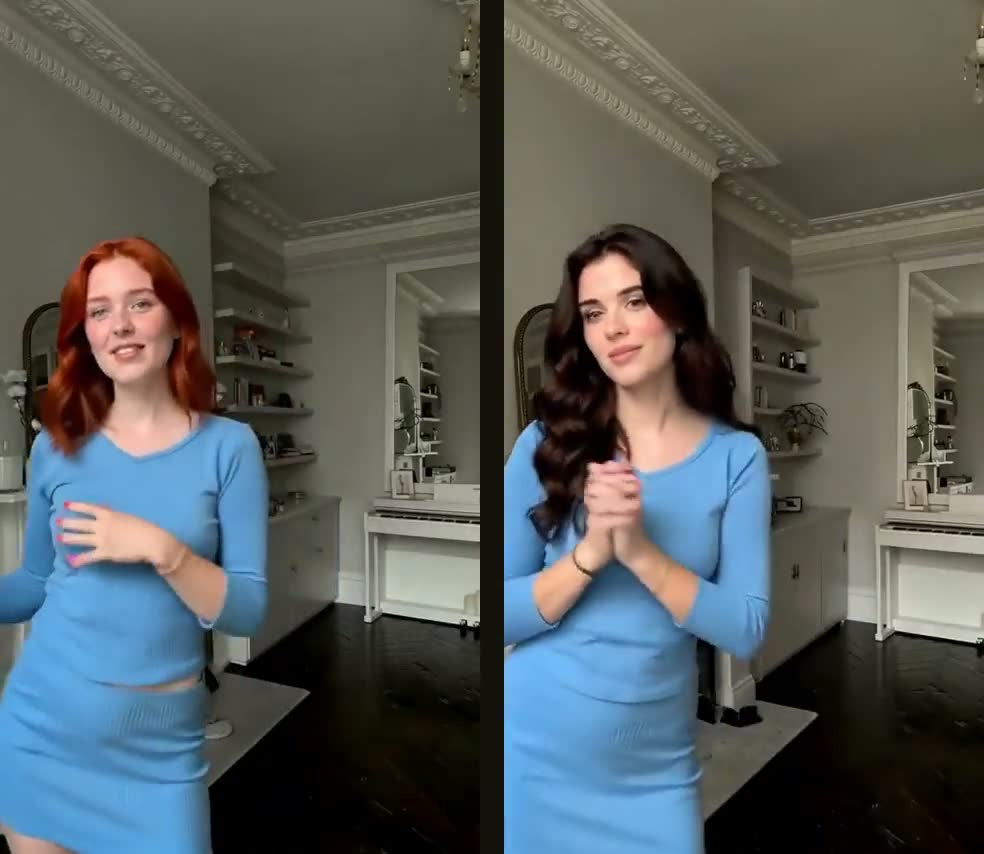
Dance trends
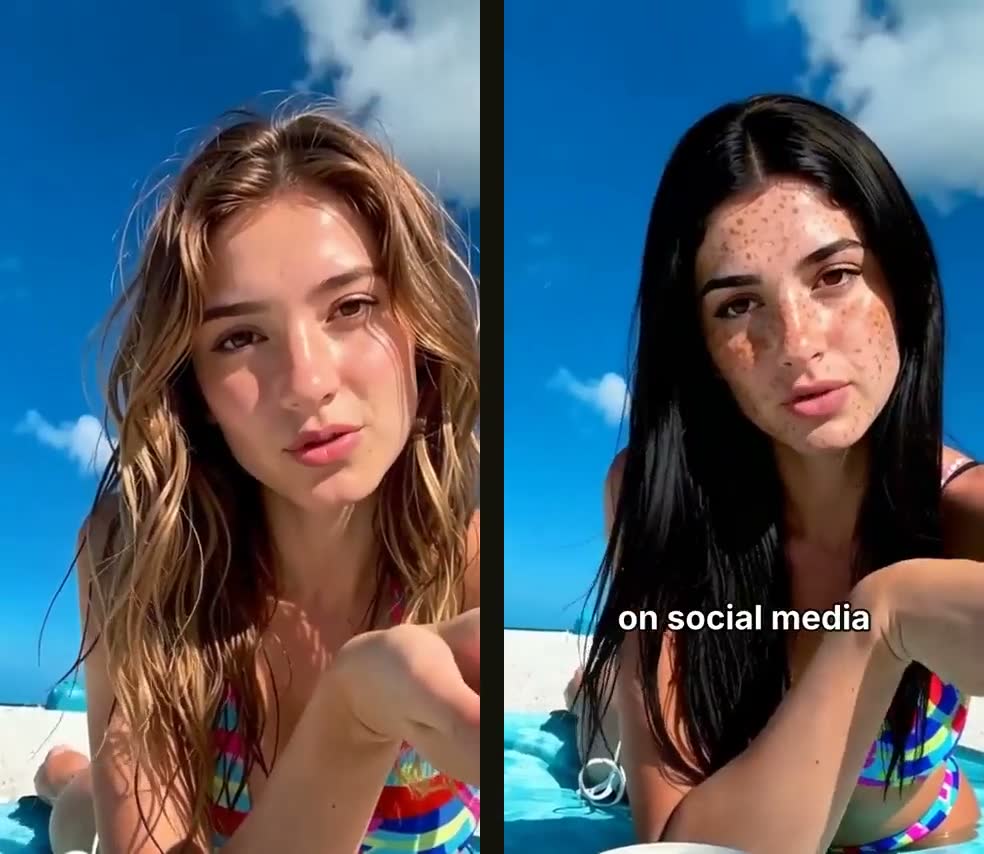
Beach rant
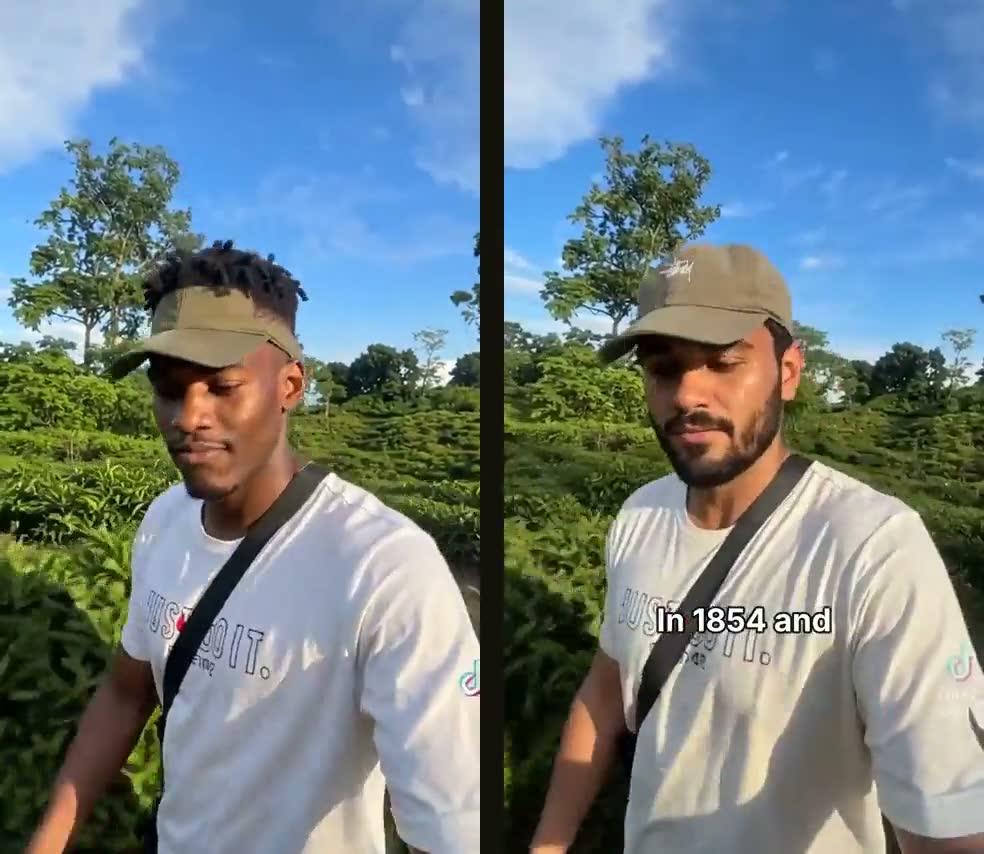
Mini-Vlogs
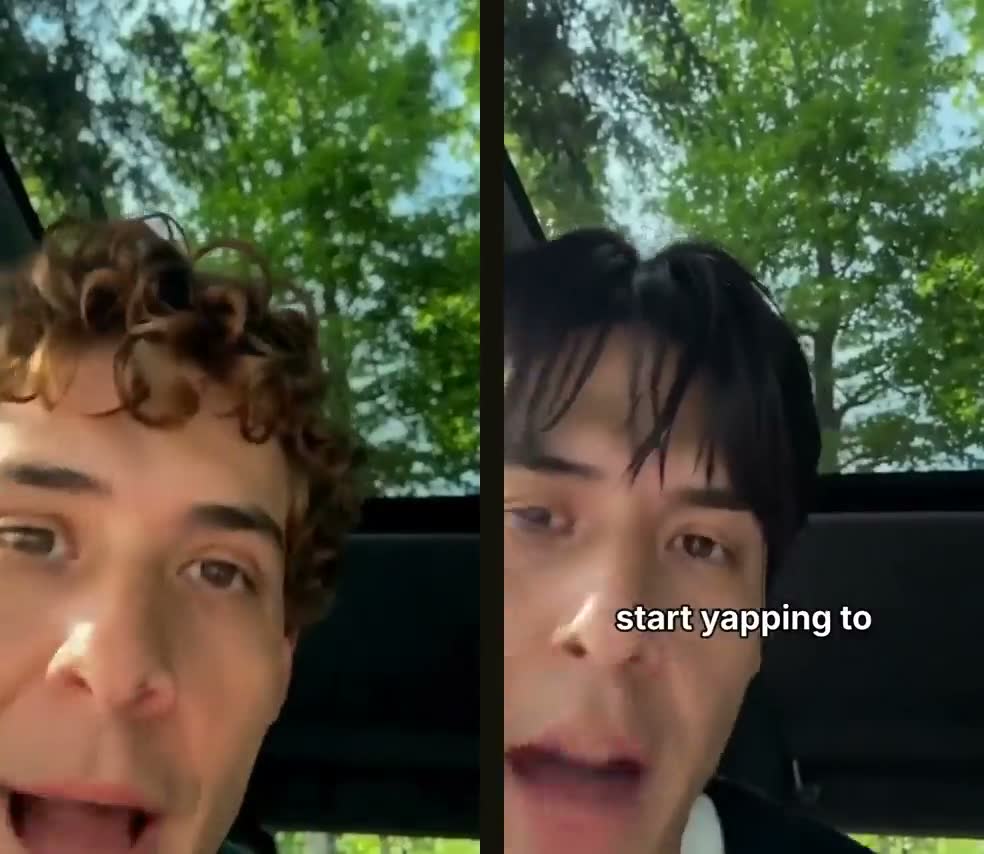
Car yapping
Why Stand-in
Create freely. Get paid. Stay unknown.
No prompts. No settings to learn. You film, tap your Stand-in, and post. That’s the whole product.
is what brands typically pay for one UGC video (a short video a creator makes for a brand).
Brands pay for content, not your face. Make product videos, reviews and ads as your Stand-in and keep your real identity out of it.
Source: Pitchlo, 640 per-video UGC briefs, Dec 2025 to Oct 2026.
Hot takes without the backlash.
Share honest opinions about work, dating, money or anything else without worrying about your boss, your family or strangers finding you.
- • Identity totally masked
- • Swap your voice too
- • Use the same Stand-in, or a different one
Stream on Twitch, Kick, or Go Live on TikTok, Instagram and YouTube Live as your Stand-in, in real time.
Members get early access & free usage.
How it works
Four steps. No learning curve.
Record right in Stand-in with your script scrolling on screen, like a teleprompter.
Or film in your phone camera, CapCut, TikTok or anywhere else, and upload the raw clip. Clips can be up to 10 minutes; each started 15 seconds uses credits.
Pricing
Simple credits. Pay only for what you make.
Each video uses credits for every started 15 seconds. Standard is the default: 16 credits per 15 seconds. If we can’t finish a video, its credits come back to you automatically.
Plus, Studio and Cinematic cost more credits and take longer, for an even more lifelike result.
Unused plan credits roll over to the next month.
Buy credits once. Your first pack comes with 20 bonus credits. Credit packs never expire. A 30-second Standard video is 32 credits, $3.20 with the $10 pack. No watermark without a plan.
Buy creditsAdd-ons, per started 30 seconds: Auto captions 5 credits (included on Creator and Pro), Voice swap 5 credits (included on Creator and Pro), HD 1080p included, Green screen 10 credits.
How we compare
Your video, not a new one.
| Stand-in | MiniMax H3 | Runway Aleph | Kling | Veo / Gemini | HeyGen | |
|---|---|---|---|---|---|---|
| Uses your real video & voice | ✓ | ✓ | ✓ | ✓ | ✕ makes a new video | ✕ avatar reads a script |
| Free redo if it comes out wrong | ✓ | ✕ | ✕ | ✕ | ✕ | ✕ |
| Any length, no stitching | ✓ | ✕ 15 s max | ✕ | ✕ | ✕ ~8 s | ✓ |
| 30-second video | $3.20 | $9.00 | $6.72 | $5.04 | $3.00–3.60 | $0.50–2.00 |
Stand-in: a 30-second Standard video with a $10 credit pack. Competitor prices from their public pricing pages, Oct 2026. Pay-per-generation; retries cost extra.
Questions
Everything you’re wondering.
- Can anyone tell it’s me?
- Not from your face or body: your Stand-in is a different person. Only your timing, gestures and energy carry over. Swap your voice too for full anonymity.
- Does it look fake?
- It’s built not to. Your Stand-in keeps your framing, your lighting and your real movements, so it plays like a normal phone video, not an avatar.
- Is the person real?
- No. Every Stand-in is generated and belongs to no one. You can’t upload someone else’s face, so no real person is ever impersonated.
- Is this allowed on TikTok, Instagram and YouTube?
- Platforms allow AI video when it’s labeled. Tap the AI-generated label when you post, it takes a second. We never help hide that a video is AI, which keeps your account safe.
- What happens to my recording?
- It’s used only to make your video. You can delete any video at any time.
- Can I keep the same Stand-in?
- Yes. Create your own Stand-in once and every video uses the same face, so your account feels like one real creator. Or switch Stand-ins whenever you like.
- Can I change their outfit?
- Yes. By default your Stand-in wears what you wear in the recording. Or pick one of ten outfits for them, or describe your own, and they keep it in every video.
- Can I change the background?
- Your Stand-in appears in your real setting, matched to your lighting. Custom backgrounds and sets are coming soon.
- Can I change their voice?
- Yes. Keep your own voice, or swap it for one of our voices in a tap. Your pacing, pauses and emotion stay the same.
- Can I change how they look (age, hair, style)?
- Pick a different ready-made Stand-in, or describe the look you want and create your own.
- Do I need editing skills?
- No. Record, pick a Stand-in, done. We cut your pauses and “um”s for you, and captions are one tap.
- How long does it take?
- Usually 2–4 minutes. You’ll see it on your screen as soon as it’s ready.
- What if a video doesn’t work?
- If we can’t finish a video, its credits come back to you automatically.
- Can I cancel anytime?
- Yes, from your account in a couple of taps. Credit packs never expire.